Premium for the Advent Calendar: Video Circles, Quizzes, Music

New on secret.gift: Premium for the online advent calendar got five new extras. One payment of $4.99 per calendar now adds video circles, quiz doors, background music, a gift-wrap intro and a memory book — on top of voice messages, a password, co-authors and the Premium styles.
Nothing below is a screenshot of a promise: play the video, guess the number, unwrap the box. They are the same pieces your recipient meets in the Premium demo calendar.
An online advent calendar in a few minutes. Free, no signup.
Make an advent calendarIn this guide
Video circles: up to a minute of you
Round video messages, like the ones in Telegram. In a door's editor tap Video circle: the front camera opens right in the browser, you record up to a minute, and it's saved to that door. Nothing to install, and the recipient doesn't need an app either.
They tap the circle to play it, and a ring around it shows how much is left. Co-authors can record their own circles: the one below is from Anna's sister, sitting in a calendar her boyfriend made.
Door 9
Your sister has something to tell you — press play 💛
A video from Sofia
Voice messages
Some things sound better than they read. Record up to a minute behind any door, or upload an audio file you already have: a song you sang, a message from grandma, the sound of the sea from the place you met.
Door 8
The first message I ever sent you, and what I actually wanted to say.
A voice message from Max
Quiz doors: answer to open
A quiz door opens only after the right answer. There are three kinds, and the one below is live — try it:
How many times did we watch this video last December?
Open this door in the Premium demo- Words. A riddle or a “how well do you know me” question. They type the answer, or pick from buttons if you add a few wrong choices. Case, accents and punctuation don't count, and several answers can be right: “at the rink / skating”.
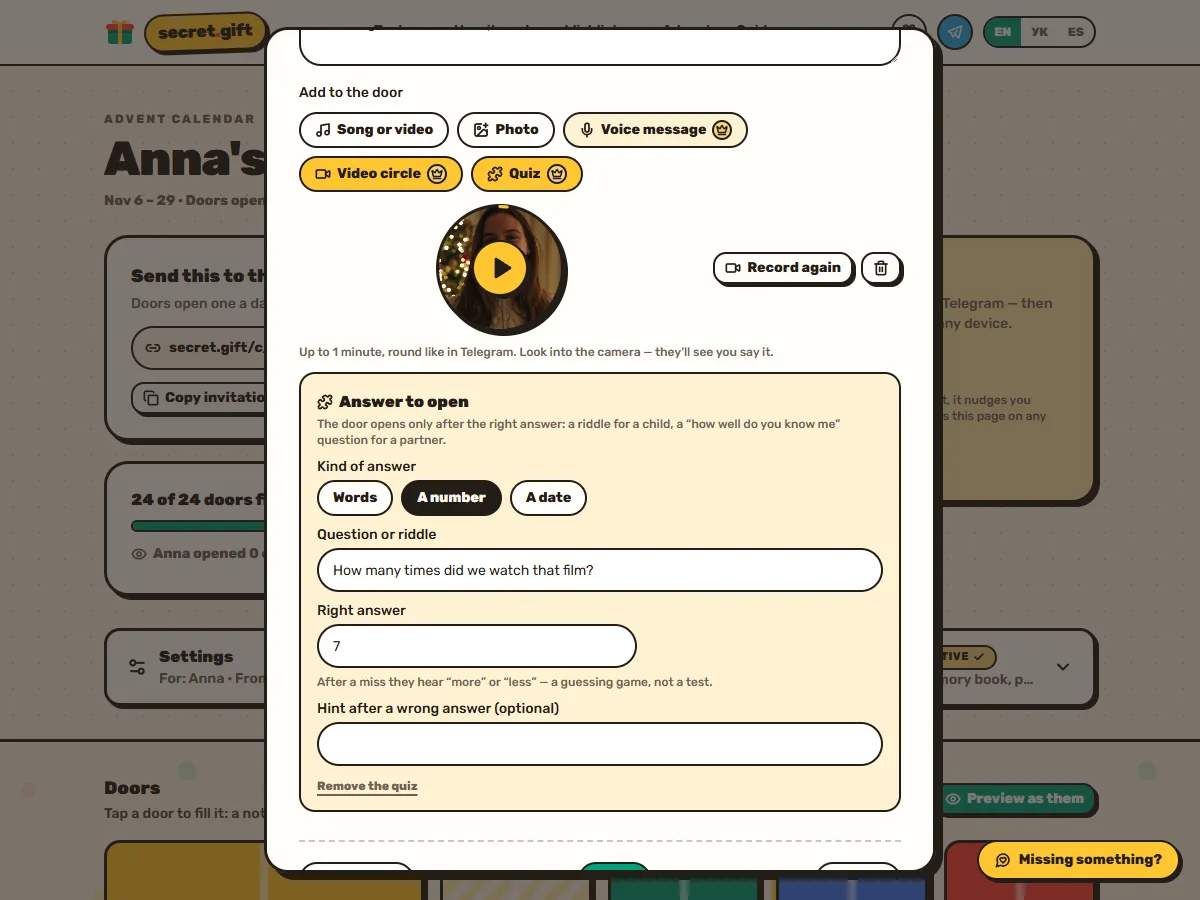
- A number. “How many times did we watch this film?” After a miss they hear more or less, so it turns into a guessing game.
- A date. “When was our first date?” They pick it in a calendar and hear earlier or later.
A quiz is a game, not a wall in front of the present: after the first miss they see your hint, and after three wrong answers the door opens anyway. The answer is checked on our server, so it's not hiding in the page for anyone who knows how to peek.
Ideas for quiz questions
- For a partner: where we first kissed; what I ordered on our first date; how many countries we've been to together; the date we moved in.
- For kids: a riddle that points to where the present is hidden; how many days are left until Christmas; how many legs a spider has.
- For parents and grandparents: the year they got married; the name of their first dog; the street they grew up on.
- For friends: the song we know every word of; how many hours we spent on that train; the date of the first party together.
Background music
A music box plays a carol softly while they open the doors: Jingle Bells, Silent Night, We Wish You a Merry Christmas or Carol of the Bells (Shchedryk). You pick it in the calendar's Premium settings and can listen first, right here too.
Browsers don't let a page start sound on its own, so the music begins with their first tap, and the sound button switches it off. A song you put behind a door, from Spotify, YouTube or Apple Music, still plays as it does in a free calendar.
A gift-wrap intro with their name
The first time they open your link, the calendar arrives wrapped, with their name on the tag. One tap and the lid flies off, a little bell rings, confetti, and the music starts. It shows once on each device, and you can watch it yourself from the editor. Unwrap this one:
Tap to unwrap
Open the Premium demoA memory book after the last door
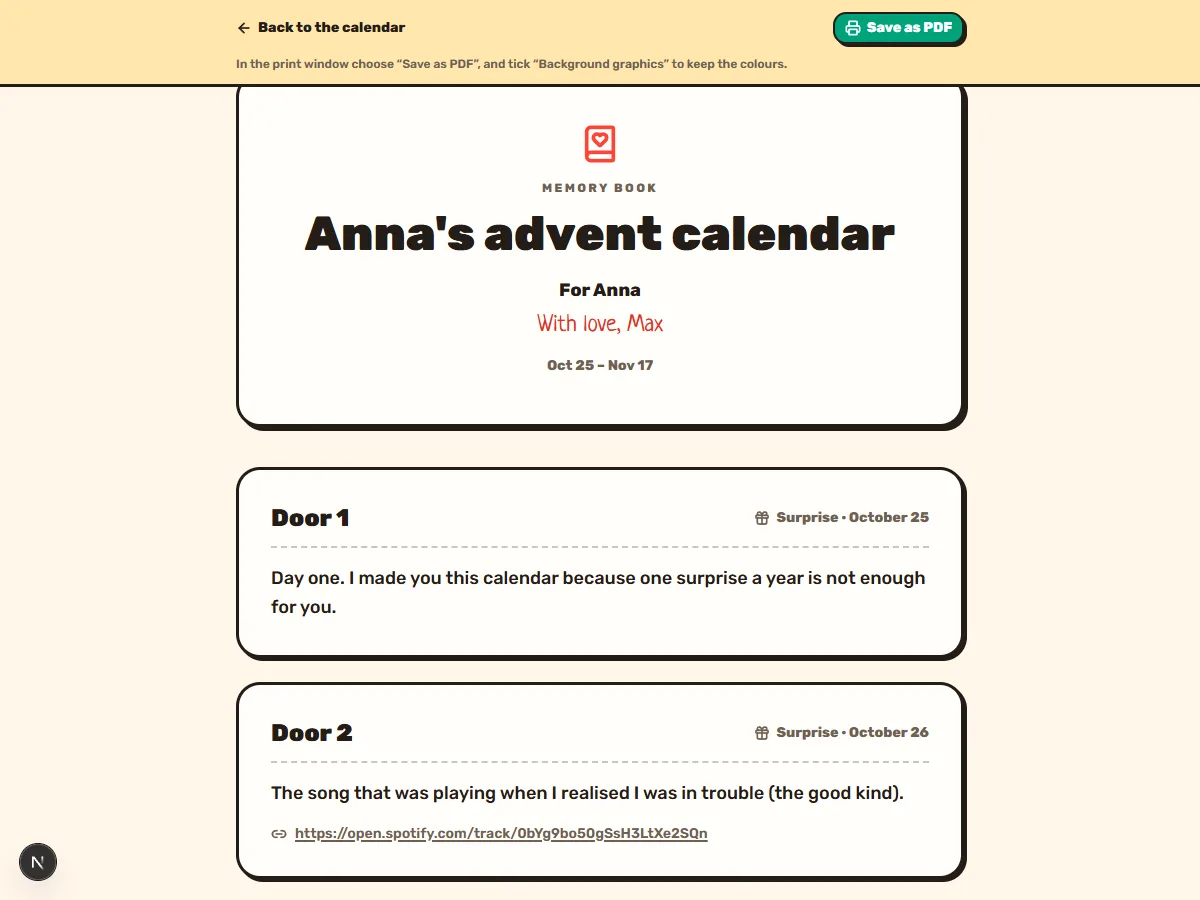
When every door is open, the calendar gathers into one page: every note, photo, quiz answer, reaction and reply, with the dates. Save it as a PDF from the print window or print it on paper. Video circles and voice messages are noted in the book and keep playing in the calendar.
You can open the book any time from the editor. Here is the demo's book.
Premium styles and your own
Scratch Cards hide every door under a silver layer to scratch off with a finger. Glass Baubles hang on a fir branch and break into sparkles. Or make your own style: colours, door shape, numbers and your own photo. In the editor you can try a Premium style on before paying.
Scratch Cards Premium
A silver layer on every door: scratch it off with a finger and the surprise shows through.
See it on a whole calendarGlass Baubles Premium
Hand-painted glass baubles on a fir branch. Tap one and it breaks into sparkles, leaving the note on its thread.
See it on a whole calendarYour own style Premium
Your colours, door shape, numbers and a photo of your own.
See it on a whole calendarFor the whole family
- Co-authors. Send an invite link and everyone fills their own doors, signed with their name: grandkids for a grandma, the whole team for a colleague.
- A password, so only people who know it can open the calendar.
- Up to 10 devices and 10 Telegram accounts, so the whole family can open it and get the morning reminder. A free calendar has 3 devices and 2 Telegram accounts.
How to switch Premium on
One payment for one calendar, no subscription. Spanish pages pay 4,99 €.
- Make a calendar — it's free and takes about five minutes.
- In the editor open Premium and press Get Premium — $4.99. In a door's editor the Premium extras are marked with a gold crown.
- Pay on the Stripe page and you're back in the editor with Premium on. Everything you've filled stays as it was.
Frequently asked questions
Is Premium a subscription?
No. It's one payment of $4.99 for one calendar, and it stays on for that calendar.
Does the recipient need to pay or sign up?
No. They open your link, with no account and no app.
Can I see it before paying?
Yes: open the Premium demo. In the editor you can also try a Premium style on before buying.
What if they can't guess the answer?
After the first miss they see your hint, and after three wrong answers the door opens anyway.
Where does video recording work?
In a current browser on a phone or a computer that has a camera. The browser asks for access to the camera and the microphone the first time.
Nick Sleighman. Claims to have never given a bad gift since 2011. Tests gift ideas on his own family every December and ranks everything by price, wow-factor and 'will they actually use it'.
Keep reading
Make the calendar first, then switch Premium on in its settings.
Make an advent calendar